Sebastián Valdés
Sebastián Valdés Sánchez
Category: Graphics Programming
Language: C++20
Graphic API: Nintendo GX
Project Date: 28 Jan. 2025
Made by: Sebastián Valdés Sánchez
🏆 Awarded: Best Individual Project
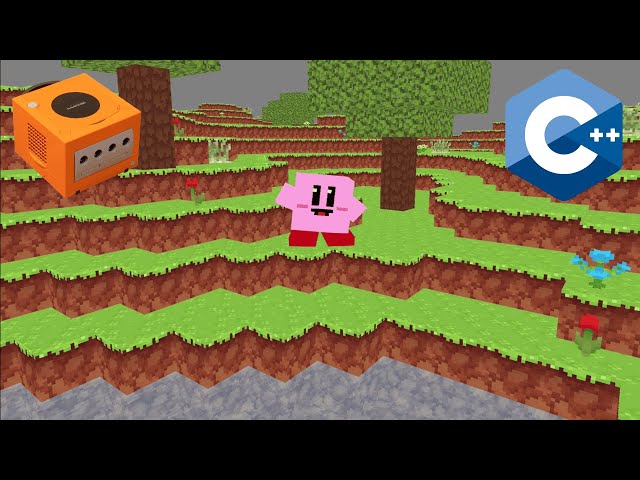
An Optimised Voxel Engine for the Nintendo GameCube
This is my final individual university project, focused on creating a voxel engine optimised for the Nintendo GameCube from scratch using its native Graphic API Nintendo GX. The main goal was to maximise performance and memory efficiency to render the highest number of chunks while maintaining a stable 60 FPS on the console’s limited hardware.
Optimisations in the Voxel Engine
To achieve a smooth 60 FPS while rendering as many chunks as possible, I focused on both performance and memory efficiency with these key optimisations:
Batching
Reduced CPU overhead by combining multiple draw calls into one.Occlusion Culling
First culled entire cubes, then refined it to cull individual faces, improving performance.Memory Optimisation
Used bitfields in structs to pack data efficiently, allowing more chunks to fit in memory.Display Lists
Pre-recorded draw commands to reduce calls and improve FPS, at the cost of memory.Frustum Culling
Rendered only chunks within the camera’s view, optimising performance.Dynamic Chunk Management
Loaded and unloaded chunks dynamically, reducing memory use and improving load times.Efficient Terrain Generation
Optimised terrain generation to minimise redundant calculations and improve speed.Efficient Animations


Optimised water movement and bone animations.Distance vs Frustum Culling
Distance from Camera
Distance + Frustum Culling
Stages of Optimisation
Structure
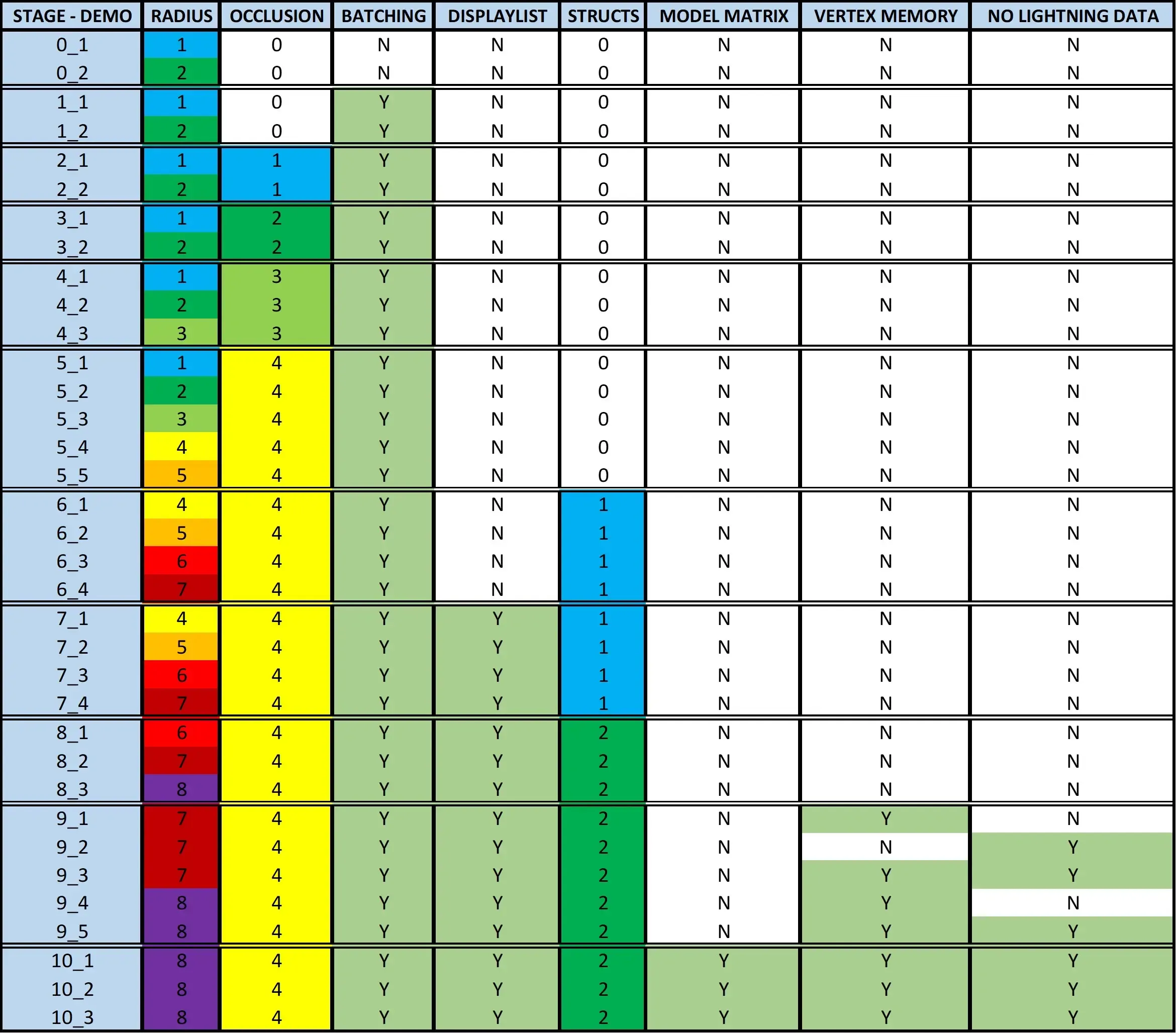
All Stages
- Stage 0: No Optimisations
- Stage 1: Batching
- Stage 2: Occlusion Culling L1 (Blocks — Game Loop)
- Stage 3: Occlusion Culling L2 (Faces — Game Loop)
- Stage 4: Occlusion Culling L3 (Blocks — Precalculated)
- Stage 5: Occlusion Culling L4 (Faces — Precalculated)
- Stage 6: Structs Level 1
- Stage 7: Display List
- Stage 8: Structs Level 2
- Stage 9: Further Memory Usage
- Stage 10: Achieve 60 FPS
Stages of Optimisation: Summary
Stage 0: No Optimisations

FPS: 15
N° Chunks: 9
Draw Calls: 20488
Free Memory: 17.785 KB
Stage 10: All Optimisations

FPS: 60
N° Chunks: 289
Draw Calls: ~100
Free Memory: 2.663 KB
What Knowledge Have I Acquired?
Optimisation
Mastered techniques like batching, frustum culling, and memory optimisations using bitfields to improve performance on constrained hardware.Low-Level Game Development
Gained experience working directly with the DevKitPro SDK, understanding how to maximise hardware potential.Memory Management
Learned how to efficiently manage memory, balancing performance and memory usage.Performance Testing
Improved ability to track and analyse performance using tools like std::chrono to optimise in real-time.Hardware Constraints
Developed a deep understanding of working within the limitations of older consoles and how to achieve optimal performance.Memory Optimisation: Struct Sizes
Struct Cubito (Initial Version)
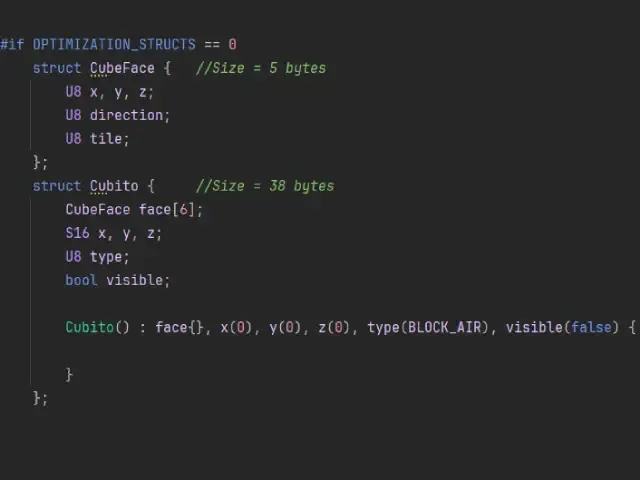
Struct CubeFace: 5 bytes
Struct Cubito: 38 bytes
Baseline version: no memory optimisation applied.
Structs Level 1
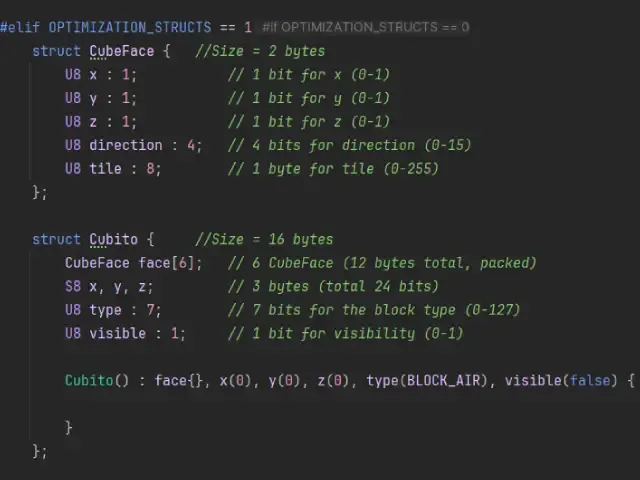
Struct CubeFace: 2 bytes
Struct Cubito: 16 bytes
Memory usage reduced by 57.89% in Cubito and 60% in CubeFace.
Structs Level 2
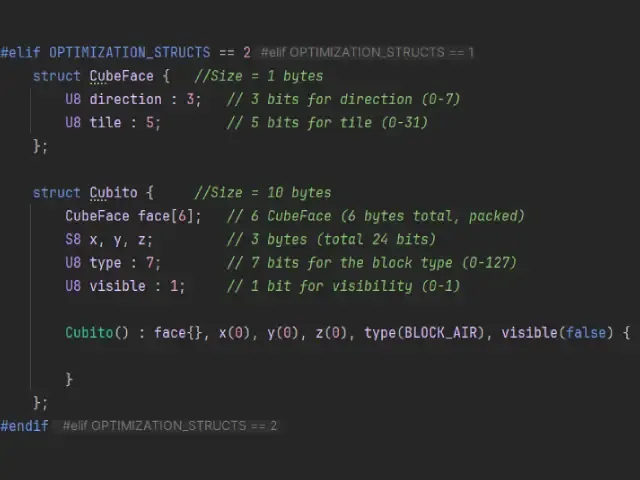
Struct CubeFace: 1 byte
Struct Cubito: 10 bytes
Maximum optimisation: 73.68% reduction in Cubito and 80% in CubeFace!
🚧 Post-TFG Improvements
After submitting my final project, I’ve continued working on the engine. Here are some of the features I’ve been adding: