Sebastián Valdés

Category: Graphics Programming

Language: C++23

Graphic APIs: Vulkan 1.3 & OpenGL 4.6

Platforms: PC & Nintendo Switch

Status: In Active Development (v0.3 🐤)

Made by: Sebastián Valdés

🍗 Poyo Engine VX

PoyoVX is a multi-backend game engine and successor to Poyo Engine (2022-2023). The name says it all: V for Vulkan, X for GX (the GameCube graphics API).

Built from scratch out of a passion for computer graphics and engine development. Supporting both modern and legacy APIs is the challenge that drives this project. Seeing the engine run on a Nintendo Switch, and eventually on a GameCube, is what keeps the motivation going.

Platform Support

🖥️ PC
Platform API Ver. Status Since
Windows 1.3 0.1 🥚
Windows 4.6 0.1 🥚
Steam Deck 1.3 | 4.6 0.2 🐣
Mac 📋 -
🎮 Console
Platform API Ver. Status Since
Switch 4.3 0.1 🥚
Switch untested
GameCube GX 1.0 🚧 WIP 0.3 🐤
3DS citro3d 📋 -

Rendering Architecture

The engine is built around a two-layer rendering architecture. Neither layer exposes raw API calls. Both are abstractions over the underlying graphics APIs. The same code runs on all supported platforms without any changes.

The low-level layer gives full control over the GPU (shaders, pipelines, compute), while the high-level layer provides pre-built materials and shading models for cross-platform rendering. The challenge of the high-level layer is making it work across very different hardware: from modern Vulkan on PC to the GameCube’s fixed-function GX with no programmable shaders. The GameCube cannot use the low-level pipeline, so it plugs in at the high-level layer with its own GX Renderer that configures TEV stages directly.

RHI (Render Hardware Interface)

Low-level, full GPU control

Vulkan 1.3OpenGL 4.6

You manage everything: Shaders, Pipelines, Command Lists, Compute, Bindings. Only for programmable GPUs.

↓ Runs on

Cross-Platform Renderer

High-level, simpler but more limited

VulkanOpenGLGX

Pick a Material, set Textures, call Draw. The renderer handles the rest. Like SDL but for 3D. Works everywhere, including GameCube via TEV.

↓ Runs on

Both layers are built on top of the RHI. The Cross-Platform Renderer pre-configures it for you.

GX has a partial RHI (buffers, textures) but lacks Shaders, Compute, and Programmable Pipelines, so the low-level pipeline cannot run on GameCube.

Shader Compilation Pipeline

All shaders are written in GLSL Vulkan 450 as the single source language. The engine compiles them to the right target at runtime:

GLSL Vulkan 450

Source language

glslang

GLSL → SPIR-V

SPIR-V

Intermediate

VulkanDirect use
OpenGL PCGL_ARB_gl_spirv
↓ SPIRV-CrossOpenGL SwitchCross-compiled to GLSL

Write once in GLSL 450, compile everywhere. Supports shader #include and live reloading in the editor.

Key Features

Vulkan 1.3

Full backend with VMA, Dynamic Rendering, GPU profiling, and SPIR-V shaders.

OpenGL 4.6

DSA-based backend with compatibility from 3.3 to 4.6. Runs on PC and Nintendo Switch (4.3).
🎮

Nintendo Switch

All demos running natively via EGL with touch input and custom logger.
📊

GPU Profiler

Scoped GPU timing sections with real-time performance visualisation in the editor.
🎭

Deferred Shading

G-buffer with multiple render targets and configurable blend modes on both APIs.
🌑

Shadows

Cascaded shadow maps, point light shadows (cubemap), and dual paraboloid shadows.
💡

Lighting

Point, spot, and area lights (LTC). PBR bloom inspired by Call of Duty: Advanced Warfare.
📦

Indirect & Instancing

Multi Draw Indirect, GPU instancing, and SSBOs for efficient batched rendering.
🔷

Mesh Shaders

GPU-driven mesh processing via OpenGL (NV_mesh_shader) and Vulkan (EXT_mesh_shader).
🖥️

Compute Pipeline

Dispatch and indirect compute on both APIs. Used for GPU culling and particle systems.
🗂️

Scene System

ECS powered by entt with YAML serialisation, undo/redo action history, and GLTF import.
🔤

Text Rendering

2D, 3D, and signed distance field (SDF) text rendering via FreeType.

Work in Progress

🎮GameCube GXPartial RHI backend + TEV-based renderer. Code written, building for hardware next.
🛠️Editor10 panels including shader editor with live reload, theme system, and entity picking.
📦KTX2 TexturesASTC working on Switch. BC and ETC2 compression still in progress.

Development Phases

🥚

v0.1 Egg

Apr–Dec 2025

Foundations

🐣

v0.2 Hatchling

Jan – Mar 2026

Breaking out

🐤

v0.3 Chick

Mar 2026 – now

Learning fast

🐥

v0.4 Fledgling

TBD

TBD

🪶

v0.5 Feather

TBD

TBD

🐔

v0.6 Chicken

TBD

TBD

🐓

v0.7 Rooster

TBD

TBD

🔥

v0.9 Phoenix

TBD

TBD

🍗

v1.0 Poyo

TBD

Perfection

🖼️ Poyo GPU Samples

A growing collection of standalone GPU demos. Each sample demonstrates a specific engine feature using the low-level RHI pipeline, and serves as both a test and a learning reference.

v0.1 🥚 Egg

Hello Triangle

Hello Triangle

Instancing

Instancing

Compute Shader

Compute Shader

Compute Mesh

Compute Mesh

Textures

Textures

Grass

Grass rendering

v0.2 🐣 Hatchling

Normal Mapping

Normal Mapping

Normal Visualiser

Normal Visualiser with geometry shader

Parallax Mapping

Parallax Mapping

Outlining

Stencil-based outlining

Blend Modes

Blend Modes

Shadow Mapping

Shadow Mapping

Point Shadows

Point Shadows with cubemap

Dual Paraboloid Shadows

Dual Paraboloid Shadows

Cascaded Shadows

Cascaded Shadow Maps

Deferred Shading

Deferred Shading

Interior Mapping

Interior Mapping with parallax cubemap

Mesh Shaders

Mesh Shaders

Asteroid Field

Asteroid Field with GPU culling

GPU Terrain

GPU Terrain with tessellation

Water Caustics

Water Caustics

Infinite Grid

Infinite Grid

v0.3 🐤 Chick

Emissive (PBR Bloom)

Emissive with PBR Bloom

Engine Primitives

Engine Primitives

Hex Materialisation

Hexagonal Tiling materialisation

Hex Emissive

Hexagonal Emissive effect

Hex Emissive (Animated)

Hexagonal Emissive animated

Text 2D

2D Text Rendering

Text 3D

3D Text in world space

Text SDF

SDF Text Rendering

Area Lights

Area Lights with LTC

Category: Tools & Educational Games

Languages: C++20 & Python 3 (Scripting)

Project Date: Apr. 2025 – July 2025

Studio: Steel Minions

Team:

  • Daniel Turner
  • Sebastián Valdés Sánchez

⚔️🖥️ Battle Coder 🎮

A 2D vectorial game and scripting app to teach programming.

Written in C++ 20 and powered by embedded Python 3 scripting, Battle Coder turns first-year computing lessons into fast-paced coding duels. Students tackle level-based challenges by writing Python that directly manipulates game objects and logic.

Thanks to Pybind11, key C++ classes, functions and entities are surfaced to Python, delivering a smooth bridge between native gameplay and user scripts. Progression, scores and content drops are delivered via Firebase (JSON), giving lecturers live oversight and automated grading.

Our goal: an engaging educational tool that motivates learning through gameplay, scoring, and automated code tests.

Features

🐍🖥️

Embedded Python Scripting

Players write and execute Python code that manipulates game objects and mechanics in real time.
🧩🎯

Interactive Coding Challenges

Fun, competitive puzzles designed to teach core programming concepts.
☁️📊

Firebase Backend & Progress Management

Remote storage for levels, student progress and leaderboards, all in JSON.
👩‍🏫📝

Lecturer Controls

Content release, automated exercises and detailed analytics to monitor and motivate learners.
🖼️📋

Raylib User Interface

Custom raylib-based UI for login, registration and scoreboard display, keeping the experience smooth and consistent.

My Role in this Project

🐍🖥️

Python Scripting

Designed and built the scripting core system that lets students write, “compile” and run Python code in-game, handling parsing, execution and game-side callbacks.
🔗🧩

Pybind11 Integration

Exposed essential C++ functions, methods and game objects to Python via Pybind11, enabling seamless interaction between native code and scripts.
🖥️⌨️

Script Editor UI

Built an in-game ImGui editor with save, compile, run and stop controls. Includes a status indicator:


🔴 Error 🟡 IDLE 🟢 Running


⚠️💡⏳

Error Handling & User Feedback

Implemented real-time error detection with highlighting and feedback. Added safeguards to prevent hangs and crashes like infinite loops (while, for) during script execution.

📐✏️

Vector Shape Editor

Built an in-game editor inspired by GeoGebra, allowing users to ➕ add, ❌ remove, and 👆 drag points to build custom vector shapes used alongside default game figures.

Gallery

Main Menu

Battle Coder Main Menu

Running Program

Battle Coder running a Python program

My Vector Figure Editor

Vector Figure Editor tool

Identifiers & Keywords

List of Identifiers, Keywords, Members and Sub-Members

Error Feedback & Highlighting

Error feedback and highlighting in the script editor

Vector Shape Editor

All vector shapes in the shape editor

Category: Graphic Programming

Language: C++17

Graphic API: AGC

Project Date: Jan. 2025 - May 2025

Pikmin-Like Game

A cooperative puzzle-platformer developed on PS5 devkits using our custom engine.

Designed for two players on a shared screen, the game features asymmetric gameplay mechanics and a variety of interactive elements that encourage teamwork and creative problem-solving. It was developed entirely with our own custom engine, taking full advantage of its flexibility to deliver smooth and dynamic local co-op gameplay.

Features

🎮👫

Local Multiplayer

Supports local multiplayer with shared screen and cooperative gameplay.
🎬🏃💀

Skeletal Animations

Allows smooth character animations with skeletal rigs.
🌓💡

Shadows

Supports shadow maps for directional, spot, and point lights for realistic lighting.
🪞✨

PBR Materials

Simulate realistic lighting and surface interactions for lifelike visuals.
💨🌱👣

Interactive Grass

Responsive grass reacting to wind and player movement.
🌓

Deferred Shading

Boosts performance by separating geometry and light passes.
🧱🧲⛓️

Physics

Integration of physics engine with collision detection and rigidbody dynamics.
🔊👂

3D Audio

Immersive spatial sound that reacts to object positioning and player perspective.

My Role in this Project

🎬🏃

Animations

Implemented all in-game animations, including blending, event triggers, and developed their respective systems.
🌱👣

Grass

Designed and developed an interactive grass system, reacting to wind and generating footsteps with a compute shader.
🗂️📦

Resource System

Built a system to manage static-skeletal meshes, animations, textures, and audio.
🖥️🔗

Event System

Built an event system using delegates and multi-delegates to handle interactions and triggers.
🖋️📏

Rendering Systems

Built systems for rendering lines (e.g., for visualising bounding boxes), 3D text in world space, and 2D text for UI elements.

Gallery

Menu

SkyGlyphs main menu

Collaborate

Two players collaborating

Grass

Interactive grass reacting to player movement

Grass

Grass footstep trails

Grass: Compute Shader

Grass compute shader showcase

Our Engine Editor

Custom engine editor

Credits

💻🛠️

Programming

Engine, gameplay and systems development by:
Xema Maestre
Héctor Ochando
Sebastián Valdés
Joel Vinaroz

🎨🖌️🧵

Art

Textures, models and animations by:
Cristina Martínez

🎵🎧🎹

Music

All levels Music by:
Patrick Lyddon

🧭🕹️📐

Design

Gameplay ideas, and level design by:
Ash Sandhar

Category: Graphics Programming

Language: C++20

Graphic API: Nintendo GX

Project Date: 28 Jan. 2025

Made by: Sebastián Valdés Sánchez

🏆 Awarded: Best Individual Project


An Optimised Voxel Engine for the Nintendo GameCube

This is my final individual university project, focused on creating a voxel engine optimised for the Nintendo GameCube from scratch using its native Graphic API Nintendo GX. The main goal was to maximise performance and memory efficiency to render the highest number of chunks while maintaining a stable 60 FPS on the console’s limited hardware.

Optimisations in the Voxel Engine

To achieve a smooth 60 FPS while rendering as many chunks as possible, I focused on both performance and memory efficiency with these key optimisations:

🗃️

Batching

Reduced CPU overhead by combining multiple draw calls into one.
🚫👀

Occlusion Culling

First culled entire cubes, then refined it to cull individual faces, improving performance.
💾

Memory Optimisation

Used bitfields in structs to pack data efficiently, allowing more chunks to fit in memory.
📜🎨

Display Lists

Pre-recorded draw commands to reduce calls and improve FPS, at the cost of memory.
🎥

Frustum Culling

Rendered only chunks within the camera’s view, optimising performance.
📦

Dynamic Chunk Management

Loaded and unloaded chunks dynamically, reducing memory use and improving load times.
🌍

Efficient Terrain Generation

Optimised terrain generation to minimise redundant calculations and improve speed.
🎬

Efficient Animations

Optimised water movement and bone animations.

Distance vs Frustum Culling

Distance from Camera

Chunks loaded by distance from camera

Distance + Frustum Culling

Chunks loaded with frustum culling applied

Stages of Optimisation

Structure

Stages of optimisation chart

All Stages

  • Stage 0: No Optimisations
  • Stage 1: Batching
  • Stage 2: Occlusion Culling L1 (Blocks — Game Loop)
  • Stage 3: Occlusion Culling L2 (Faces — Game Loop)
  • Stage 4: Occlusion Culling L3 (Blocks — Precalculated)
  • Stage 5: Occlusion Culling L4 (Faces — Precalculated)
  • Stage 6: Structs Level 1
  • Stage 7: Display List
  • Stage 8: Structs Level 2
  • Stage 9: Further Memory Usage
  • Stage 10: Achieve 60 FPS

Stages of Optimisation: Summary

Stage 0: No Optimisations

Stage 0 — 15 FPS with 9 chunks

FPS: 15

N° Chunks: 9

Draw Calls: 20488

Free Memory: 17.785 KB

Stage 10: All Optimisations

Stage 10 — 60 FPS with 289 chunks

FPS: 60

N° Chunks: 289

Draw Calls: ~100

Free Memory: 2.663 KB

What Knowledge Have I Acquired?

Optimisation

Mastered techniques like batching, frustum culling, and memory optimisations using bitfields to improve performance on constrained hardware.
🔧

Low-Level Game Development

Gained experience working directly with the DevKitPro SDK, understanding how to maximise hardware potential.
💾

Memory Management

Learned how to efficiently manage memory, balancing performance and memory usage.
📊

Performance Testing

Improved ability to track and analyse performance using tools like std::chrono to optimise in real-time.
🎮

Hardware Constraints

Developed a deep understanding of working within the limitations of older consoles and how to achieve optimal performance.

Memory Optimisation: Struct Sizes

Struct Cubito (Initial Version)

Initial struct sizes

Struct CubeFace: 5 bytes

Struct Cubito: 38 bytes

Baseline version: no memory optimisation applied.

Structs Level 1

Structs Level 1 — reduced sizes

Struct CubeFace: 2 bytes

Struct Cubito: 16 bytes

Memory usage reduced by 57.89% in Cubito and 60% in CubeFace.

Structs Level 2

Structs Level 2 — further reduced sizes

Struct CubeFace: 1 byte

Struct Cubito: 10 bytes

Maximum optimisation: 73.68% reduction in Cubito and 80% in CubeFace!

🚧 Post-TFG Improvements

After submitting my final project, I’ve continued working on the engine. Here are some of the features I’ve been adding:

✅✏️

Stencil Outline

Stencil-style outline on the Kirby model. The GameCube has no stencil buffer, so I simulated it using alpha compare.
🔲💡

Shadows

Shadow mapping implementation for directional lighting. Work in progress.

Category: Unreal Engine 4 Game

Language: C++

Project Date: 08 July 2023

Steam page: Steam URL

Made by: Dark Moth Studios

🏆 Finalist: Best Student Game

A TopDown “Soulslike” game made with Unreal Engine 4

Invicta: The Next Queen is a top-down “soulslike” game inspired by titles like “Death’s Door,” “Tunic,” and “Dark Souls.” You play as the “Moma,” a fierce warrior who, after losing a battle, dies and has their soul fragmented into pieces, each guarded by one of the seven deadly sins in Hell.

Your quest is to reclaim your lost soul, with one piece guarded by King Midas, the sin of greed. To recover it, you’ll face off against King Midas and his soldiers in a deadly battle for your redemption.

This project was developed by a group of students from ESAT Valencia (Escuela Superior de Arte y Tecnología).

My Role in this Project

In this project, my main responsibility was implementing all in-game animations for every character provided by the artists. This included creating state machines, setting up blending and blend spaces (both 2D and 3D), allowing for smooth character movement in different directions such as forward, backward, left, and right. I also implemented layered animations, allowing for simultaneous animations, like blending a crouching animation for the lower body with a walking animation for the upper body.

Additionally, I handled the event system linked to animations, including using animation notifies in Unreal Engine to trigger actions based on specific frames within animations. I also worked on the implementation of projectiles and their unique trajectory behaviors, such as arc trajectories for fire projectiles.

Another important task I contributed to was the parry system, allowing players to reflect projectiles with their original trajectory. Finally, I helped develop hazard zones like fire, ice, and oil, which interact with both the environment and the player, adding another layer of challenge to the game.

🎬🏃

Animations

Implemented all in-game animations, including state machines, blending, and event triggers.

🎯🔒

Lock-on System

Designed and implemented enemy lock-on mechanics.

🔥❄️⚡

Projectiles

Created projectiles with fire, ice, and electric effects, including unique behaviors like arc trajectories for fireballs.

🛡️🔄

Parry System

Contributed to parry mechanics, allowing projectiles to be reflected with their original trajectory.

⚠️🔥💧

Effect Hazards

Developed hazards like fire, ice, and oil that interact with the environment and the player.

⚔️💥

Combat System

Contributed to the combat system, including special attacks.

🌀🚪

Portals

Developed a working portal system for fast travel and mechanics.

Gallery

Special Attack: A lifesaver when you're surrounded!

Special Attack: A lifesaver when you're surrounded!

Turn the mages' projectiles against them!

Turn the mages' projectiles against them!

Category: Graphics Programming

Languages: C++20

Graphic API: OpenGL 4.3

Project Date: May 2025 - Ongoing

Team:

  • Patrick Lyddon
  • Sebastián Valdés Sánchez

🚧 Page in Development – project, content and visuals are still evolving.

Category: Graphic Programming

Language: C++

Graphic API: AGC

Project Date: 14 Jan. 2025

Made by: Sebastián Valdés Sánchez

Phazon Engine

My own Graphics Engine built for the PlayStation 5 using Sony’s native graphics APIs AGC. Developed as a university project to gain hands-on experience with console-level graphics programming.

Features

🖥️🔄🖱️

Editor Mode

Provides tools like Object Selection with the mouse.
🎬🏃💀

Skeletal Animations

Allows smooth character animations with skeletal rigs.
📜📊

Logger System

A robust logging system for tracking engine processes and errors.
🛠️🔄📐

Gizmo Transform

Manipulate objects by rotating, translating, and scaling.
📂📝

Scene Management

Allows saving, deleting, and creating scenes for efficient project management.

Category: Graphics Programming

Language: C++20

Graphic API: OpenGL 4.6 & DirectX11

Project Date: 02 June 2023

Made by: Sebastián Valdés

My first Graphics Engine 🍗

Poyo Engine is a custom-built video game engine crafted entirely using C++ and OpenGL. It is structured around components, utilising an Entity Component System (ECS) and offers various features.

Features

🖥️🔄🖱️

Editor Mode

Provides tools like Undo/Redo and Object Selection with the mouse.
🔑

Direct State Access (DSA)

Modifying OpenGL objects without binding them first.
🌓

Deferred Shading

Boosts performance by separating geometry and light passes.
🔲👀

Frustum Culling

Boosts performance by rendering only what’s in the camera’s view.
🪞✨

PBR Materials

Simulate realistic lighting and surface interactions for lifelike visuals.
🎬🏃💀

Skeletal Animations

Allows smooth character animations with skeletal rigs.
📜📊

Logger System

A robust logging system for tracking engine processes and errors.
🔁🎨

Multi Draw Indirect

Executes multiple draw commands in a single draw call.
🛠️🔄📐

Gizmo Transform

Manipulate objects by rotating, translating, and scaling.
🌓💡

Shadows

Supports shadow maps for directional, spot, and point lights for realistic lighting.
📦➡️🎮

Port To DX 11

Porting to DirectX 11 for cross-platform compatibility, like Xbox One.

Gallery

Water & Caustics

Water and caustics rendering

Skeletal Animation

Skeletal animation system

Deferred Shading

Deferred shading with multiple lights

PBR Materials + Emissive

PBR materials with emissive

Entity Component System (ECS)

Entities are the core game objects, and components define their behaviour. The available components are:

🎬 Animator

🔊 Audio

🪧 Billboard

📷 Camera

👨‍👧‍👦 Hierarchy

🖥️ Interface

💡 Light

🧱 Static Mesh

🦴 Skeletal Mesh

✨ Particle

🎨 Render

🔤 Text 2D

🔠 Text 3D

📐 Transform

What Knowledge Have I Acquired?

🎨🖥️

Graphics Engine Design

Mastering OpenGL and C++ for features such as deferred shading, shadows, frustum culling, PBR materials, emissive materials and IBL.
🎬💀

Skeletal Animations

In-depth knowledge of character rigging and efficient implementation of animation controllers.
🔀🖥️

Cross-Platform

Experience in porting to DX11, providing insights into cross-platform challenges and codebase versatility.
🌓🎨

Deferred Shading

Implementing G-buffer, lighting passes, and post-processing effects for visually stunning and performance-efficient graphics.
🖱️🛠️

User Interface and Interaction

Designing a user-friendly UI, logger system, gizmo transform, and picking system, enhancing user experience.
⚡📊

Optimisation

A focus on performance involving efficient rendering pipelines, memory management, and algorithmic improvements.

Code Example

#include "poyo_engine.h"

using namespace poyo;

int main(int argc, char** argv) {

    //1º Declare a Window variable:
    auto maybe_window = Window::create("Poyo Version X", 1600, 900);
    if (!maybe_window) return -1;

    Window& currentWindow = *maybe_window;

    //2º Declare an Input variable
    Input& currentInput = currentWindow.getInput();

    while (!currentWindow.shouldClose()) {
        UpdateEngine(currentWindow); //Updates Delta Time & Commands

        if (currentInput.isPressed(Keys::KEY_F11))
            currentWindow.makeFullScreen();     //Makes Full Screen

        //Finally, call the render function
        currentWindow.render();
    }
    return 0;
}

Upcoming Enhancements

In the pipeline for PoyoEngine is the integration of a robust Physics Engine. This enhancement aims to elevate the engine’s capabilities by introducing realistic physics simulations, enabling dynamic object interactions and immersive gameplay experiences.

Category: Assembler Project

Project Date: 20 Dec. 2022

Made by:

  • Miguel Astorga Badía
  • Sebastián Valdés Sánchez


Radial Sinewave

An effect that evokes the shape of a droplet hitting water, built entirely in assembly language.

A grid of points is generated radially around the center. Each circle has a height derived from a sinusoidal function. For every frame, the heights of the rings are varied, causing a wave-like rotation and projection onto the screen.

Category: Graphic Programming

Language: C++

Graphic API: OpenGL 3.3

Project Date: 30 May 2022

Made by:

  • Mario Galán Sobrino
  • Sebastián Valdés Sánchez


A Procedurally Generated Pokemon City

A procedurally generated city with three distinct types of lights: directional, spot, and point. Incorporates environment fog and transparent materials for a polished visual experience.

Features

🏙️🎲

Procedural City

Procedurally generated city layout.
💡🔦

Light System

Directional, spot, and point lights.
🌫️

Environment Fog

Atmospheric fog effect.
🪟✨

Translucent Materials

Transparent and translucent material support.
🖥️😊

Friendly UI

User-friendly interface for scene control.
⚡💡

Light Optimisation

Optimised light rendering mode.
🔲👀

Frustum Culling

Rendering only what’s in the camera’s view.
🌍🗺️

Cubemap

Environment cubemap for reflections and skybox.

Category: Unity Engine Project

Language: C#

Project Date: 20 May 2022

Made by:

  • Mario Galán Sobrino
  • Sebastián Valdés Sánchez

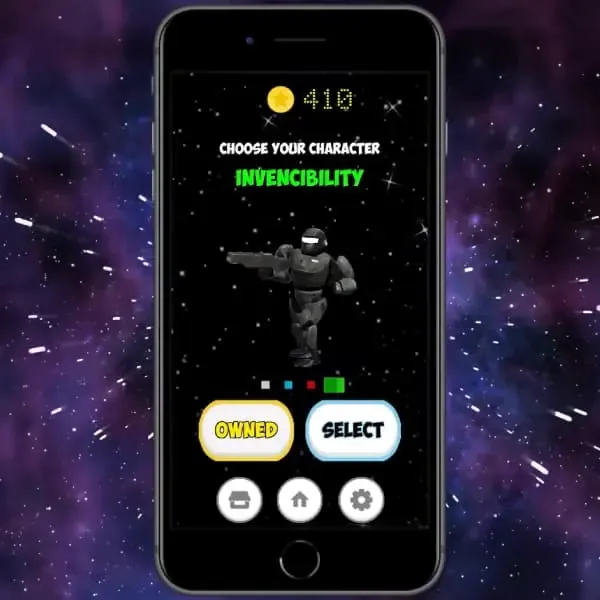
Robo Space Runner

An infinite runner game developed using Unity and released on the Google Play Store. Features a procedurally generated grid with autonomous entities capable of traversing the dynamically created environment.

Features

🏆📊

Score System

Score tracking and high scores.
🎬🏃

Animations

Character and environment animations.
✨🎆

Particle System

Unity’s particle effects for VFX.
⚡🛡️🌪️

Skills

Triple Shoot, Shield, Tornado Kick & Invincibility.

Category: Unreal Engine Project

Language: C++

Project Date: 30 May 2022

Made by:

  • Mario Galán Sobrino
  • Sebastián Valdés Sánchez


Our first Game made in Unreal Engine 4

A Metroid Prime recreation built in Unreal Engine 4, featuring Samus’ iconic mechanics — beam switching, morph ball, lock-on targeting, and the curved HUD visor effect.

Features

🤖🔫

Enemies Patrol IA

Two AI types: patrolling enemies with player pursuit and sound-based tracking Metroids.
🎯🔒

Lock On Enemies

Lock-on targeting system for combat.
💊🚀

Drops

Life and missile container pickups from defeated enemies.
💥🧱

Destructible Meshes

Breakable environment objects.
🌧️❄️

Rain & Snow

Weather particle effects.
🔵🏃

Samus Morph Ball

Full morph ball transformation with bombs.
✨🎆

UE Particles

Unreal Engine particle effects throughout the game.

My Role in this Project

🏃⚡

Samus Movement

Player movement, morph ball transition, bombs, and beam switching.
🎬🏃

Animations

All in-game animations using Anim Instance and Anim Notifies.
🖥️📊

Widget & Interface

HUD and UI implementation including the curved visor effect.
✨🎆

Particles

Visual effects for beams, explosions, and environment.

Samus’ Curved HUD

Original HUD

Original Metroid Prime HUD

Our HUD

Our recreation of the curved HUD

Category: Graphic Programming

Language: C++

Graphic API: OpenGL 3.3

Project Date: April 2022

Made by:

  • Mario Galán Sobrino
  • Sebastián Valdés Sánchez

Kirby DJ Equaliser

An equalizer crafted using OpenGL and C++, featuring illumination, a particle system, and objects that respond to music in real time. Includes an automated camera executing rotations around the scene and real-time mesh transformation.

Features

📷✈️

Flying Camera

Free-flying camera and automated rotations around the scene.
💡🔦

Lights

Dynamic lighting system.
🔺📐

Geometry Shaders

Geometry shader effects for visual flair.
🪟✨

Translucent Materials

Transparent and translucent material support.
🎵🔊

Shaders React to Music

Objects and shaders respond to the music in real time.
🌍🗺️

Cubemap

Environment cubemap for reflections.
✨🎆

Particle System

Particle effects reacting to the beat.
🎥🔄

Automated Camera

Camera that rotates around the scene automatically.

Category: Tools

Languages: C++17 & SQL

Project Date: Dec. 2021 - Jan. 2022

Made by: Sebastián Valdés

🚧 Page in Development – project, content and visuals are still evolving.

Category: GameCube Project

Language: C/C++

Project Date: 18 Dec. 2020

Download: Google Drive

Made by:

  • Jorge García Prats
  • Alejandro Martínez Forner
  • Sebastián Valdés Sánchez

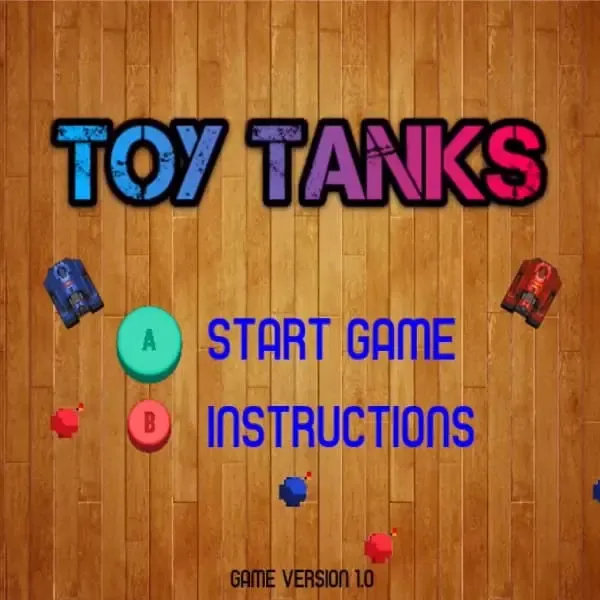
Toy Tanks

A GameCube game made with DevkitPro and GRRLIB. Two tanks must destroy each other to win using two weapons: the tank gun and bombs. Each player has five lives. Works on both GameCube and Wii.

My Role in this Project

🔧🎮

GameCube Modding

Xeno Chip installation and soldering for running homebrew on real hardware.
🕹️👆

GamePad Input

GameCube controller input implementation.
💥📦

Collisions

Collision detection between tanks, projectiles, and environment.
💣💥

Explosion Animation

Explosion visual effects for projectile impacts.
🖼️🎨

Sprites

Sprite rendering and management.

Vulkan 1.3 / OpenGL 4.6 cross-platform engine for Windows and Nintendo Switch. Successor to Poyo Engine 🙏🪦 (2022-2023)

👥 1 person

Personal

🍗 Poyo Engine VX 🍗

C++ Vulkan 1.3 OpenGL 4.6 Nintendo Switch

Educational Vector Game with Scripting

👥 2 people

Work

💻⚔️ Battle Coder 🎮

C++ Python Firebase Work

Our first PS5 Game

👥 7 people

Academic

🌱 SkyGlyphs 🌿

C++ PSSL AGC PlayStation 5

A Voxel Engine for GameCube

👥 1 person

🏆 Winner
Academic

🧊³ Cubed Cube 🎲³

C++ GX Nintendo GameCube

First Game on Steam

👥 13 people

🥈 Finalist
Studio Project

👑 Invicta: TNQ 👑

C++ Unreal Engine Steam

ALSO WORKED ON

Nintendo Switch Port from PS5

👥 1 person

Personal

SkyGlyphs ⏭️ Porting

C++ OpenGL 4.3 Nintendo Switch

My own Graphics Engine for PlayStation 5

👥 1 person

Academic

Phazon Engine

C++ PSSL AGC PlayStation 5

My own Graphics Engine

👥 1 person

Academic

🍗 Poyo Engine 🍗

C++ OpenGL 4.6 XBOX DirectX 11

A lot of dots moving

👥 2 people

Academic

Radial Sinewave

Assembler Raspberry Pi

A Procedurally Generated City

👥 2 people

Academic

Procedural Pokémon City

C++ OpenGL 3.3

An Endless Runner

👥 2 people

Academic

Robo Space Runner

C# Unity

Our first UE4 Game

👥 2 people

Academic

Metroid Prime Project

C++ Unreal Engine 4

Music Visualizer in OpenGL

👥 2 people

Academic

Kirby DJ Equaliser

C++ OpenGL 3.3

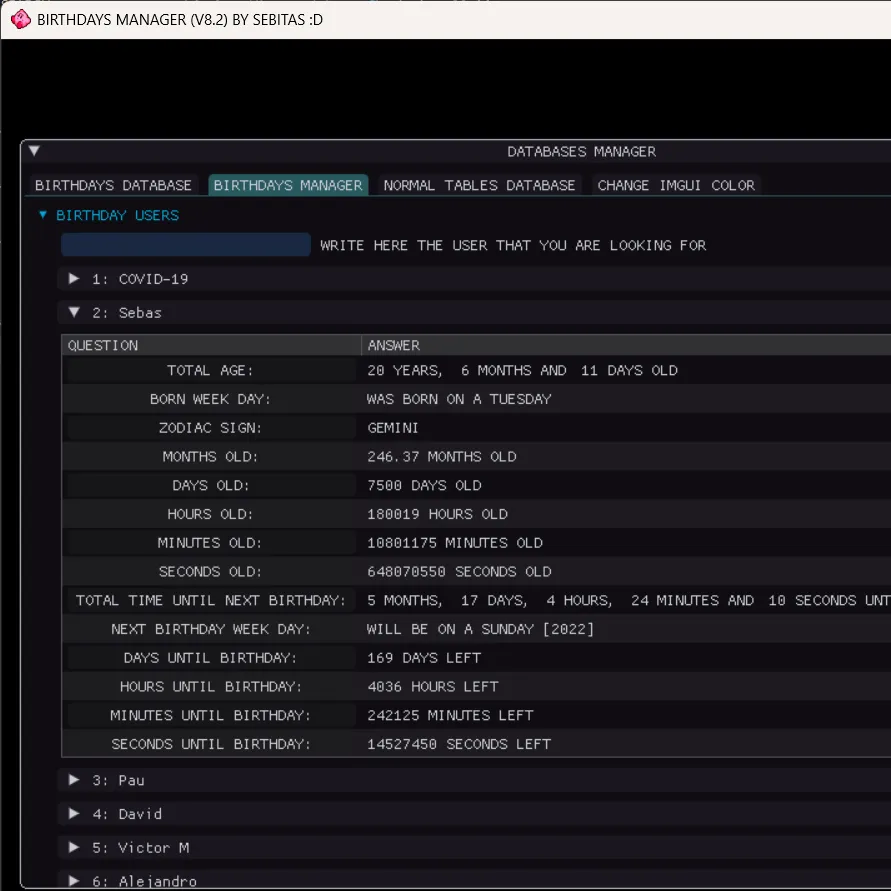
No forget anyone’s birthday

👥 1 person

Personal

Birthday Manager

C++ SQL

A GameCube Game

👥 3 people

Academic

Toy Tanks

C/C++ GameCube DevkitPro

ABOUT ME

I'm Sebastián, a graphics and engine programming enthusiast. I love understanding how things work under the hood, from writing renderers in Vulkan and OpenGL to getting code running on Nintendo Switch, PlayStation 5, and even GameCube.

My goal is to grow as an engine or graphics programmer in the games industry. Until then, I keep learning by building my own engine, experimenting with console-specific APIs, and tinkering with homebrew on weekends.

  • Dark Moth Games

    Invincta: The Next Queen


  • Steel Minions

    Battle Coders


  • Dark Moth Games

    SkyGlyph

View my Full CV

Education

BSC (Hons) Computer Science For Games

-

First Class Honours (87.6)

Sheffield Hallam University, Sheffield, United Kingdom

Final-year project involved building a graphics engine for PlayStation 5 using official devkits. Worked in a multidisciplinary team of six (four programmers, one designer, one artist) to develop both the engine and a game for it. Focused on performance optimisation and graphics systems such as GPU-driven animation, interactive foliage, and a custom ImGui-based editor for engine tools.

HND in Computing (Video Games Programming)

Completed a BTEC Level 5 Higher National Diploma in Video Games Programming, specialising in core areas of game development including C++, graphics, engines, and gameplay systems. This course provided a strong technical foundation and hands-on project experience.

Relevant Experience

Junior C++ Programmer

-

Steel Minions Game Studio - Sheffield Hallam University

Co-developed Battle Coder, an educational game that teaches Python scripting through gameplay. Designed and built the scripting system in C++20, exposed functionality via Pybind11, and designed a complete user-facing toolchain using ImGui: including a real-time scripting editor with error highlighting, tooltips, and feedback messages. Also developed a vector shape editor for custom content creation.

Gameplay Programmer

-

INVICTA: The Next Queen - Dark Moth Games

Part of a 14-person team developing a 3D action game in Unreal Engine. Worked on gameplay systems, animation logic, VFX, and environmental hazards. Used C++ and Blueprints, alongside Perforce for version control. The game was published on Steam in 2023: Steam Store Page


Skillset

Languages

  • C/C++
  • C#
  • PSSL
  • SQL
  • Python
  • Kotlin
  • Lua
  • GLSL (OpenGL Shading Language)
  • HLSL (High Level Shading Language)

Platforms

  • Windows
  • PlayStation 5
  • Linux
  • Nintendo Switch
  • Nintendo GameCube
  • XBOX One
  • Raspberry Pi

Graphics APIs

  • Vulkan 1.3+
  • AGC
  • OpenGL 4.3+
  • OpenGL 3.3
  • DirectX 11
  • GX

Tools

  • Visual Studio
  • Rider
  • RenderDoc
  • GitHub
  • Perforce
  • Aseprite
  • Trello
  • ImGui
  • Razor GPU
  • NVIDIA Nsight Graphics

Engines / Libs

  • Unreal Engine 4 + 5
  • Unity
  • SDL2
  • SFML

Sound API

  • SoLoud
  • MiniAudio